AI Headshots for Teams Without the Photo-Day Chaos
A team headshot project used to mean calendars, a photographer, a meeting room and the usual missing person. AI team headshots change the logistics: each person uploads photos from wherever they are, while the team keeps a shared visual direction.
Offer links on this page may earn us a commission. Team orders are not represented as coupon-eligible unless the provider confirms it.
The useful version is not "make everyone look identical". It is "make the directory, pitch deck and company site look like they belong together while each person still looks like themselves." That is the standard to use when judging any AI headshot tool.
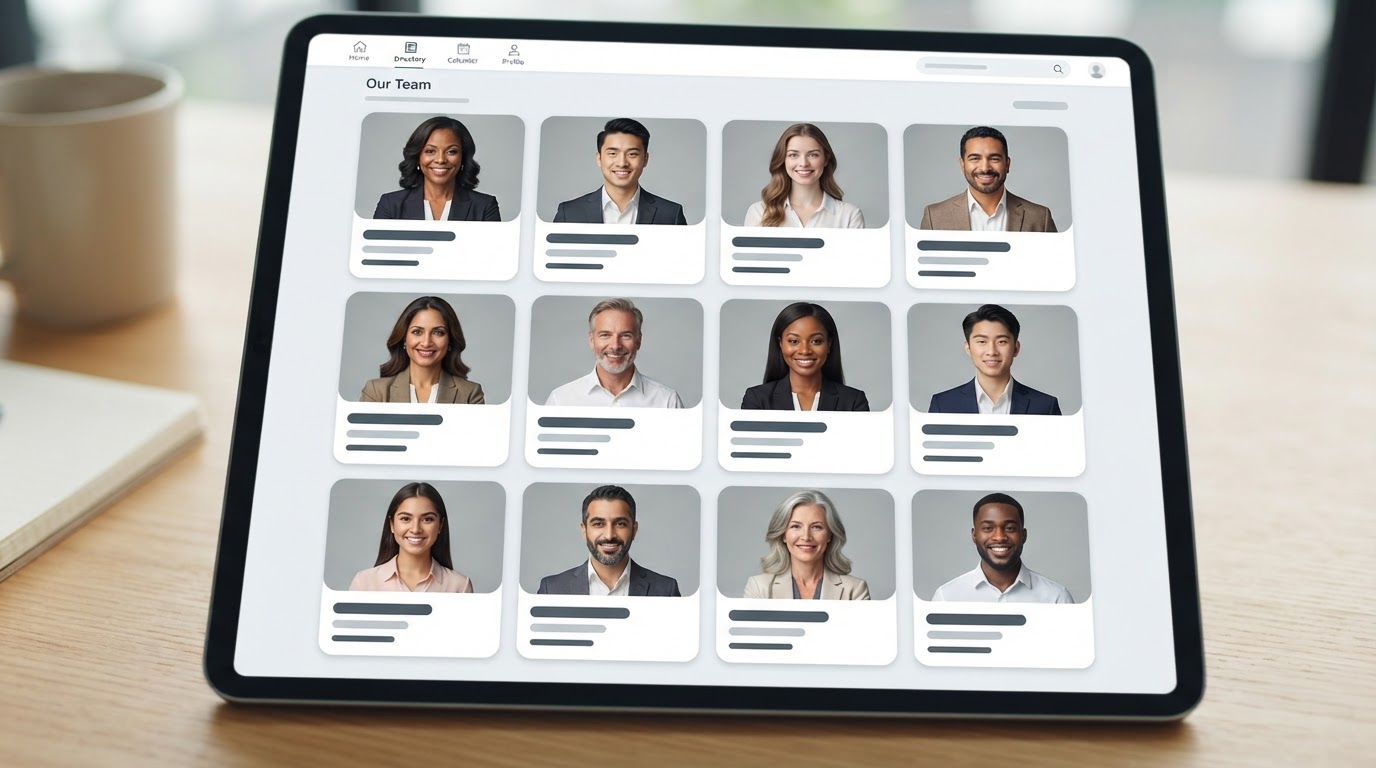
When AI team headshots make sense
They are especially handy for distributed teams, fast-growing companies, agencies that add people frequently and organisations refreshing staff directories. A new joiner can follow the same process weeks later instead of waiting for the next photo day.
They are less suitable where an exact uniform, branded set, regulated identity photograph or precise physical location matters. AI can create a coherent look; it cannot promise a particular badge placement, fabric detail or architectural background. For a leadership campaign, a real photographer may still be the better lead option.
| Situation | AI team headshots are a good fit? | Why |
|---|---|---|
| Remote company directory | Yes | People can upload from different locations |
| Growing sales or customer team | Yes | New hires can be added later |
| Corporate website refresh | Usually | A consistent visual system is easier to manage |
| Property agents with a strict local-brand set | Maybe | Test accuracy and background control first |
| Security badge or regulated ID | No | Use an approved real photograph |
The four-part team workflow
Magic Studio's team flow is straightforward: an admin creates a team, invites people, each person uploads photos, and the service trains a custom model for each member before creating their portraits. The current team page says invited members can log in with their invited email, though an admin can also manage uploads for them.
Here is the operational version that keeps the project calm:
1. Decide the visual brief first
Pick one baseline before anyone uploads. Keep it short. For example: "Business casual, soft neutral background, chest-up crop, relaxed expression, warm but not playful."
Do not over-specify. A list that demands an exact shade, exact furniture and exact angle sets the group up for disappointment. AI tools make variations. The goal is shared tone, not a cloned studio frame.
2. Give every person the same upload checklist
Ask for at least ten recent photos of the person alone. The official guidance recommends a varied set across outfits, locations and lighting. That sounds loose, but there is a sensible balance: variety helps the model learn a face; consistency in current hair, glasses and facial hair helps the result look current.
Send this checklist with the invite:
- Use recent photos that show your normal appearance.
- Include clear front-facing and slight-angle shots.
- Keep sunglasses, group photos and heavy filters out.
- Use enough light to see the eyes and face clearly.
- Do not upload a person who has not agreed to be included.
Our AI headshot upload photo tips article can sit behind that checklist as an internal help link.
3. Run a small pilot
Start with a few people from different roles, appearances and locations. The pilot is where you discover whether the brief is too formal, whether a background looks artificial, or whether glasses and textured hair need more careful input photos.
Review the results at normal website size, not only full-screen. Choose the preferred crop and style. Then write two short rules for final selection, such as: no altered facial hair, and no busy artificial background. A project owner should approve the final image for consistency, while each employee should still confirm that it represents them fairly.
4. Keep a simple replacement process
People change their hair, grow a beard, change roles and leave the company. Set a review cycle, perhaps every 12 months, and add a step to onboarding. This is what makes an AI system better than a one-off photo day: the process remains available after launch.
Current Magic Studio team information
At the time of review, the Magic Studio team page shows a 10-person example at $62 per person ($620 total), including 100 headshots per person, five looks and a stated 15-minute delivery time. The same page says model training and generation can take 30 minutes to an hour in its team FAQ, so build that window into your launch plan instead of promising instant results.
The page also says its team plans can use a shared style, but it does not promise exact uniforms, colours or backgrounds because those are generated dynamically. Finished files are listed as high-resolution JPEGs at 1024 × 1536 pixels. These details, prices and discounts can change, so treat the official team checkout or quote as the source of truth.
| What the current team page lists | Planning implication |
|---|---|
| 100 images per person, five looks | Enough choice for a final approval round |
| Shared style option | Useful for staff pages and pitch decks |
| 10-person example at $62 each | Use as an estimate, not a fixed quote |
| Larger-team discounts/quotes | Ask before budgeting a big rollout |
| 30–60 minutes in FAQ | Do not schedule a same-minute launch |
Does AFFINCO10 work for team plans?
Our AFFINCO10 code is confirmed for 10% off eligible individual Magic Studio plans. We do not claim it applies to team purchases. For a company order, ask Magic Studio directly about team pricing or use its team checkout and quote process. This is a better message than publishing a code that may not be accepted.
If you are testing the service as an individual before proposing it internally, the code may be useful on an eligible individual plan. Check the current individual offer here.
How to keep headshots consistent without making them bland
Consistency is mostly about repeating four choices: crop, colour mood, expression and background weight. It is not about erasing personality.
Use the same shoulder-to-head framing. Keep backgrounds quiet. Choose either a warm or cool palette for the full set. Then let clothing and expression vary within reason. This produces a page that feels intentionally designed, rather than a page of identical faces in a fake office.
Do a quality pass for each image. Look for:
- accurate face, teeth, ears and glasses;
- clothing that feels plausible for the employee and role;
- a natural amount of skin texture;
- no distorted hands, jewellery or background edges; and
- enough contrast for the face to stand out on a white website.
The final photo belongs to a person, not a spreadsheet. Give staff an easy route to say, "This does not feel like me." A quick redo is cheaper than publishing an image they dislike.
Team headshots for company pages, sales and LinkedIn
Do not automatically use one image everywhere. A formal portrait could work on an executive page but feel stiff on LinkedIn. Give each person a small approved set: one neutral corporate image, one warmer option for social profiles, and maybe one broader crop for speaker bios.
For LinkedIn, the photo should look recognisably human at a small size. See our AI LinkedIn headshots guide for selection tips. For the platform itself, see how Magic Studio works so the team understands why photo quality matters.
A light governance checklist
Before rollout, name an owner for the visual brief, a person for approvals and a private place for employees to ask questions. Collect consent before uploading photos. Be clear about who can access final files and what happens when someone leaves. Read the provider's current policies directly before procurement; do not rely on a blog post for legal or security approval.
FAQs
How many input photos should each team member provide?
Use at least ten recent pictures of each person alone. Include a few angles and lighting conditions, but keep their current appearance consistent.
Can a company make everyone's AI headshots match?
You can create a shared style and set a common selection brief. Do not expect exact uniforms, colours or backgrounds from a generative tool unless the provider explicitly supports that level of control.
How long do AI team headshots take?
Current Magic Studio team guidance says 30 minutes to one hour for training and generation, although other parts of the page say headshots are ready in 15 minutes. Plan for the longer window.
Is the AFFINCO10 code valid for company orders?
It is confirmed for eligible individual plans only. Ask Magic Studio for team pricing and discount eligibility before relying on it for a company purchase.
Sources and editorial note
Workflow, dimensions, feature claims and team-price examples were checked on Magic Studio's official teams page on 20 July 2026. Offer links may earn us a commission; team orders are not represented as coupon-eligible unless the provider confirms it.
Related guides
Upload Photo Tips for Better AI Results
The checklist to send with every team invite.
How Magic Studio Works From Upload to Final Photo
The four-stage workflow your team will follow.
AI LinkedIn Headshots That Still Look Like You
Help each team member pick a profile photo that reads as human.
Test it yourself before proposing it to the team
Try an eligible individual plan with the 10% code, then request a current team quote from Magic Studio.
Check the Individual OfferAffiliate link. We may earn a commission at no extra cost to you.